Data table
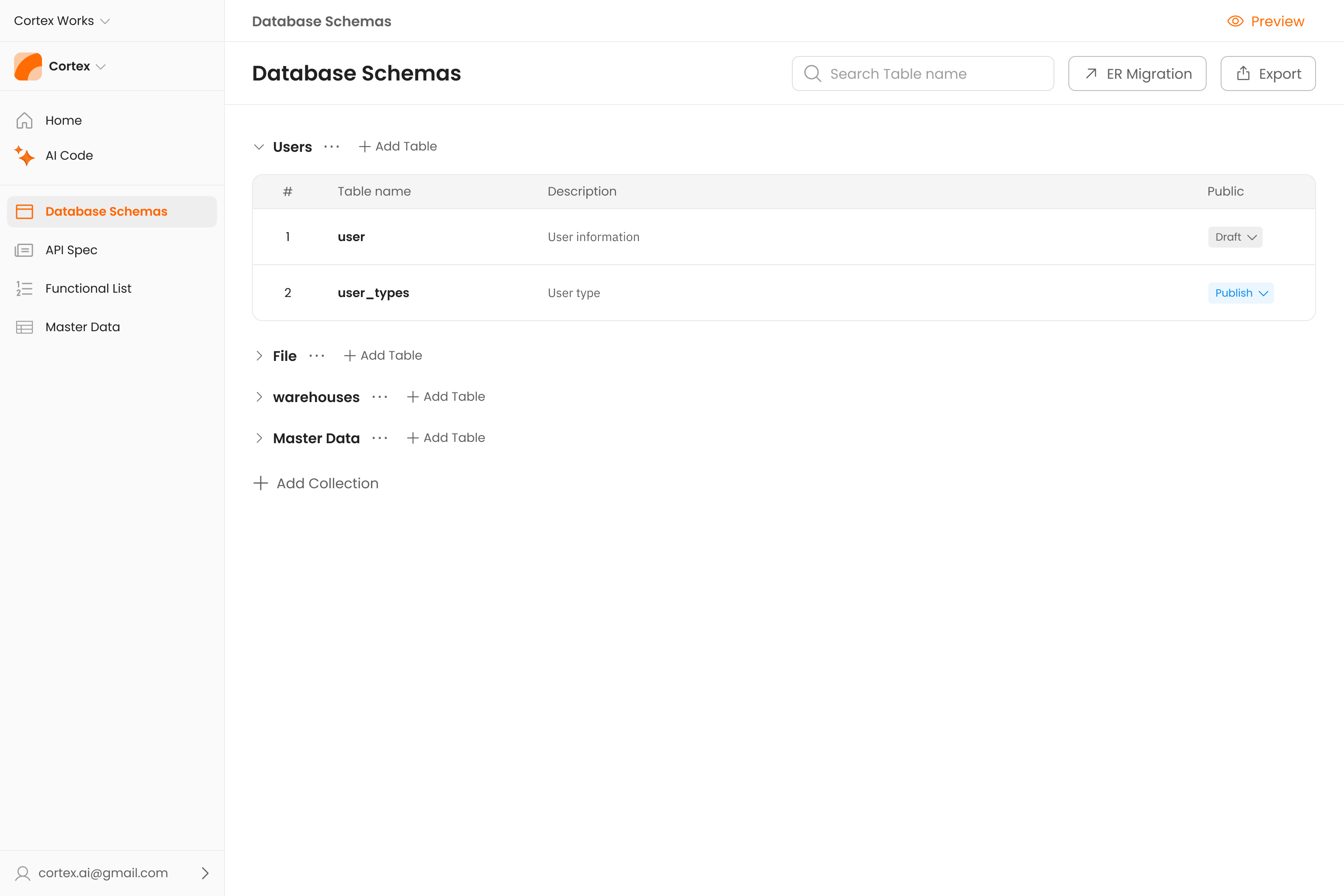
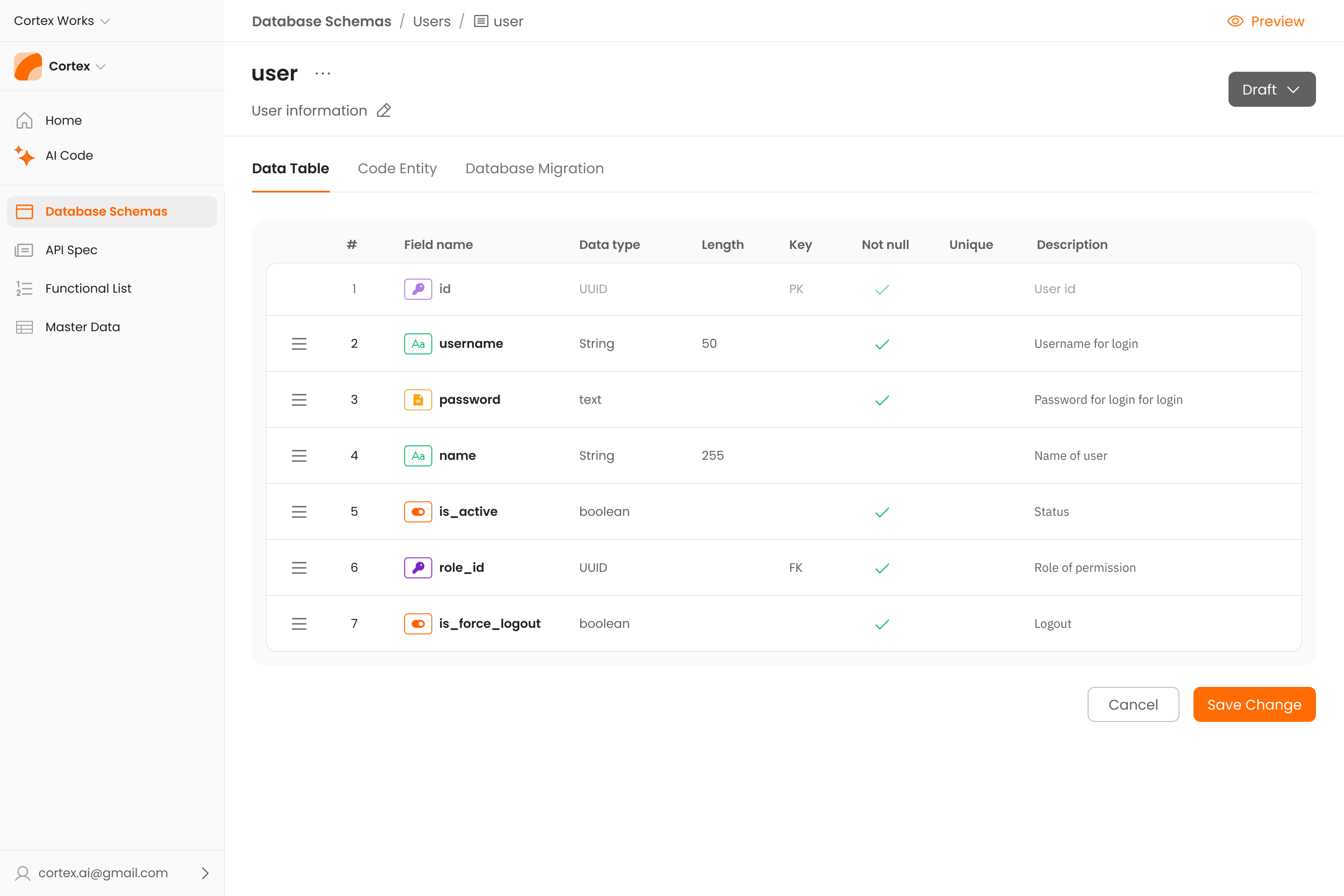
This is the visual blueprint for your database. Data Table interface allows you to design the structure of your tables by adding, configuring, and organizing each field. Here, you define the fundamental attributes of your data, such as field names, data types (String, Integer, Boolean), length, and crucial constraints like Primary Keys (PK), Not Null, and Unique. It is the starting point where your logical data structure is born.
What is a Data table ?
This is the visual blueprint for your database. Data Table interface allows you to design the structure of your tables by adding, configuring, and organizing each field. Here, you define the fundamental attributes of your data, such as field names, data types (String, Integer, Boolean), length, and crucial constraints like Primary Keys (PK), Not Null, and Unique. It is the starting point where your logical data structure is born.
Core Functionalities
- Schema Design - The primary purpose is to build your table's architecture. You can add, edit, and remove fields (columns) that will make up your dataset.
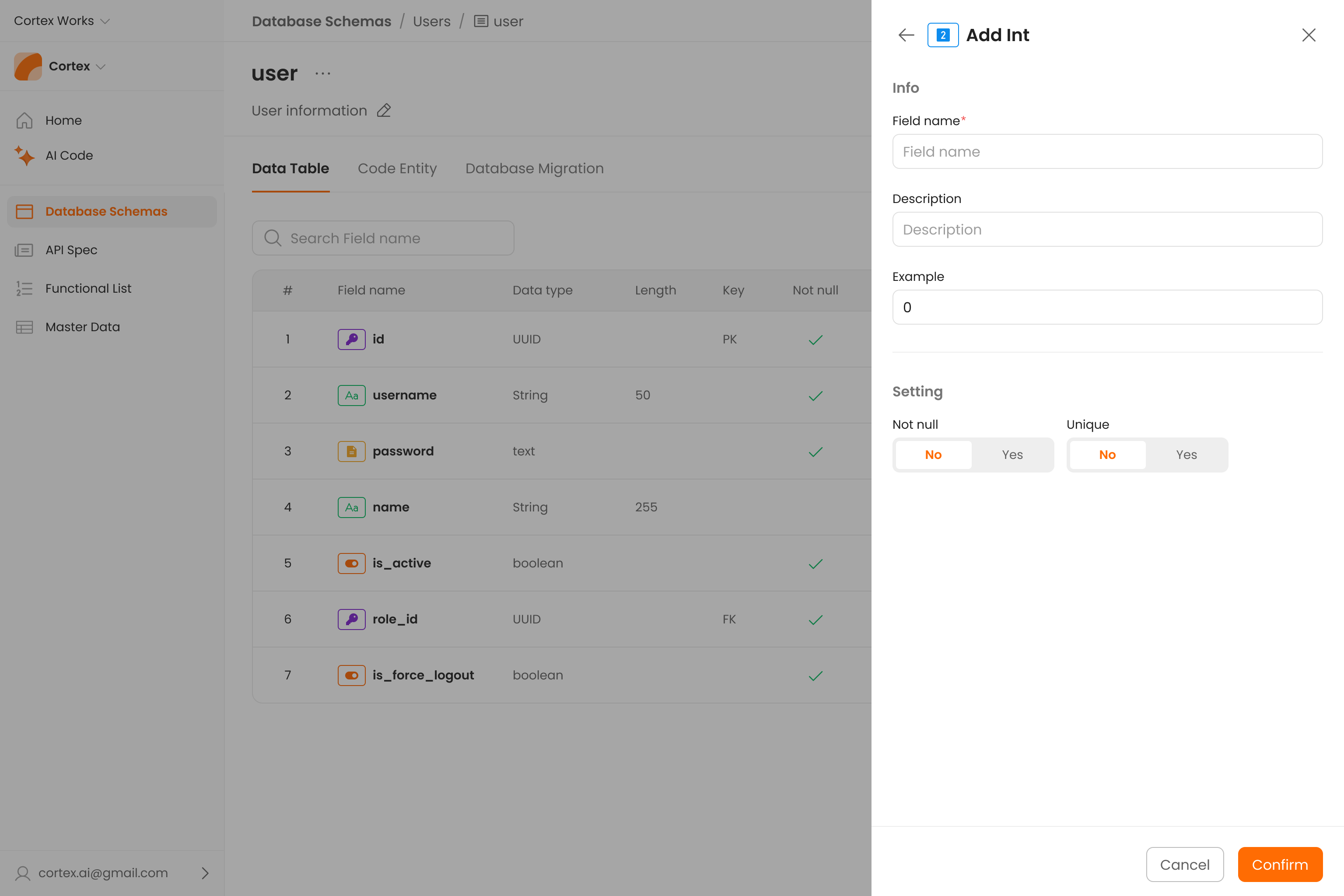
- Attribute Configuration - For each field, you can configure a comprehensive set of properties that dictate the nature and behavior of the data it holds.
- View - The tool allows for the creation of "views," enabling your data for easier access.

Action Controls
- Add data - used to add a new field (column) to your table definition. It will create a new row in the grid below, allowing you to define the new attribute.
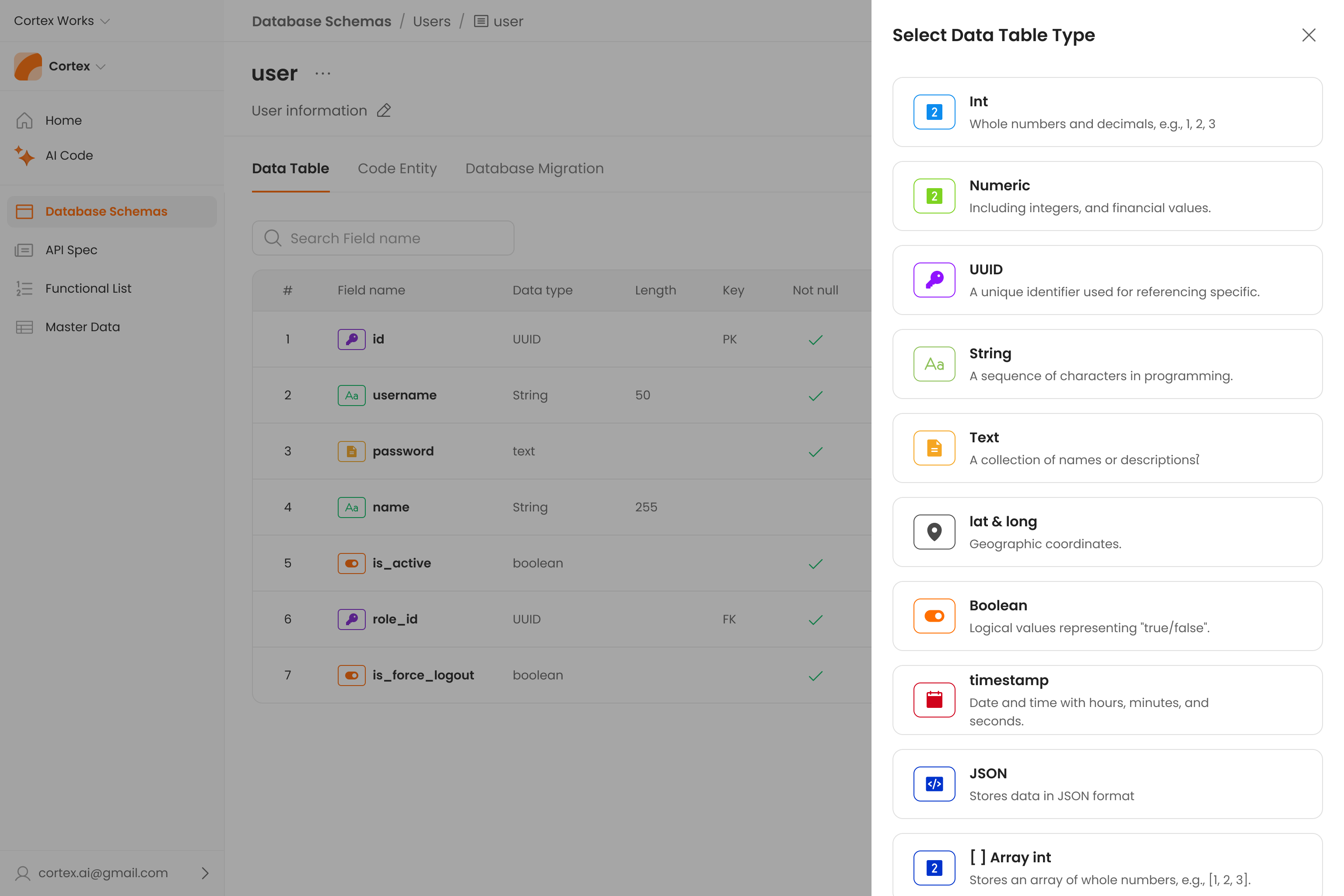
- Search Field name - quickly find a specific field within a table that has many attributes.

- Configure the order - allows you to drag and drop fields to change their display order within the Data Table interface, making it easier to organize and manage.